 GVOID
Image Editor
Creato da GVOID
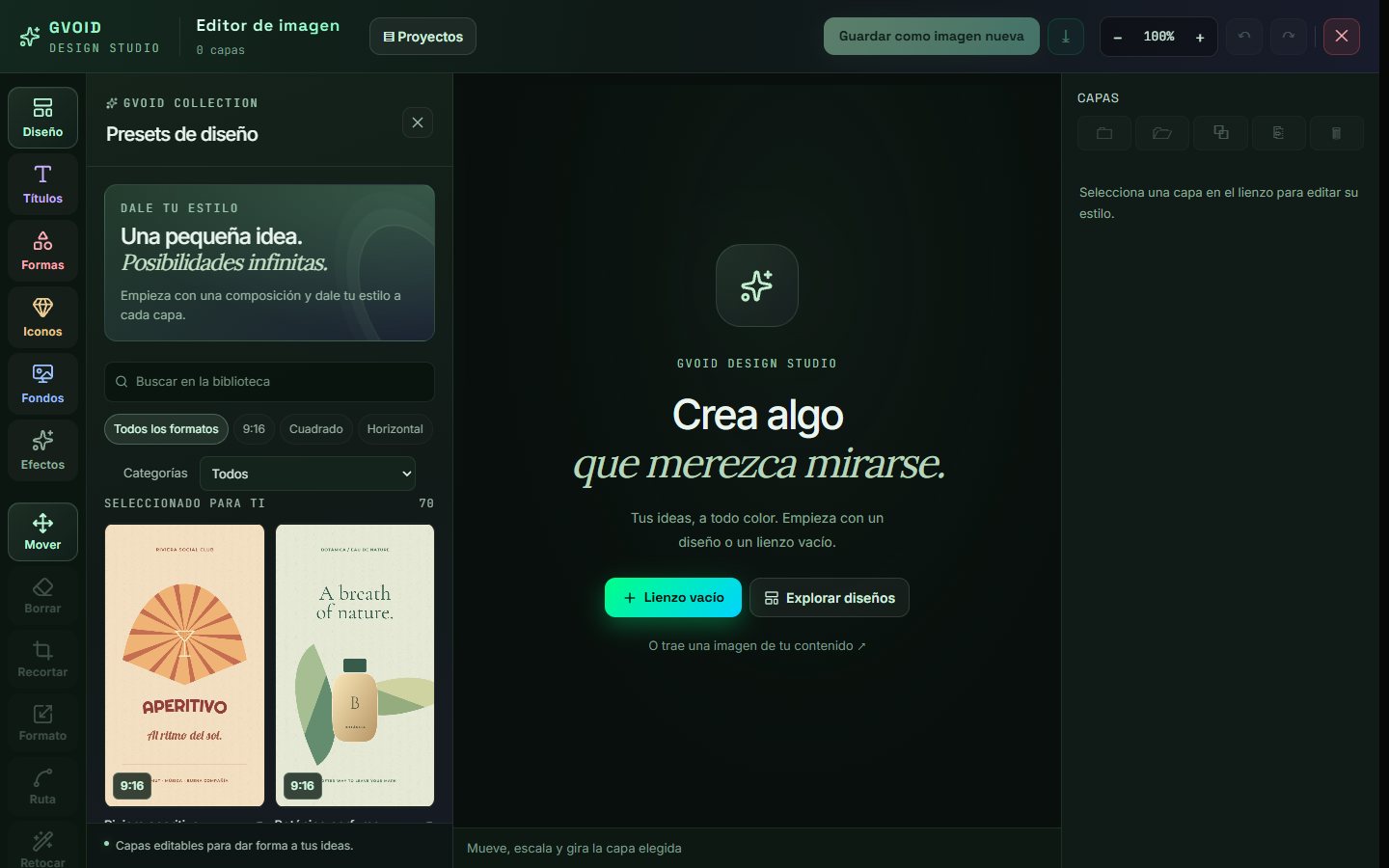
Layered design studio: presets, titles, shapes, icons, and backgrounds, with text retouching, erasing, cropping, background removal, and enlargement.
Cos'è Image Editor?
Image Editor è un modello IA di GVOID, disponibile nel canvas a nodi di GVOID.Layered design studio: presets, titles, shapes, icons, and backgrounds, with text retouching, erasing, cropping, background removal, and enlargement. Genera direttamente nel browser, combinalo con altri modelli nello stesso workflow e paga solo per ciò che crei — senza abbonamenti né configurazioni. Inizia gratis.
Cosa puoi creare
Ideale per creator, studi e brand.
Come funziona in GVOID
Niente da installare. Crea nel browser su un canvas a nodi e collega i modelli tra loro.
Aggiungi il nodo
Trascina Image Editor sul tuo canvas.
Descrivilo
Scrivi il tuo prompt o collega un ingresso.
Genera
Paghi solo quello che crei — inizia gratis.
Combina
Concatena con voce, musica e upscale.
Domande frequenti
Cos'è Image Editor?
Quanto costa Image Editor?
Posso combinare Image Editor con altri modelli?
Modelli correlati
Crea con Image Editor oggi stesso
Video, immagini e voce su un solo canvas IA. Senza abbonamento — inizia gratis.
Inizia gratis →