 GVOID
GVOIDImage Editor
Built by GVOID
Layer-based design studio: presets, titles, shapes, icons and backgrounds, with text retouching, erasing, cropping, background removal and upscaling.
What is Image Editor?
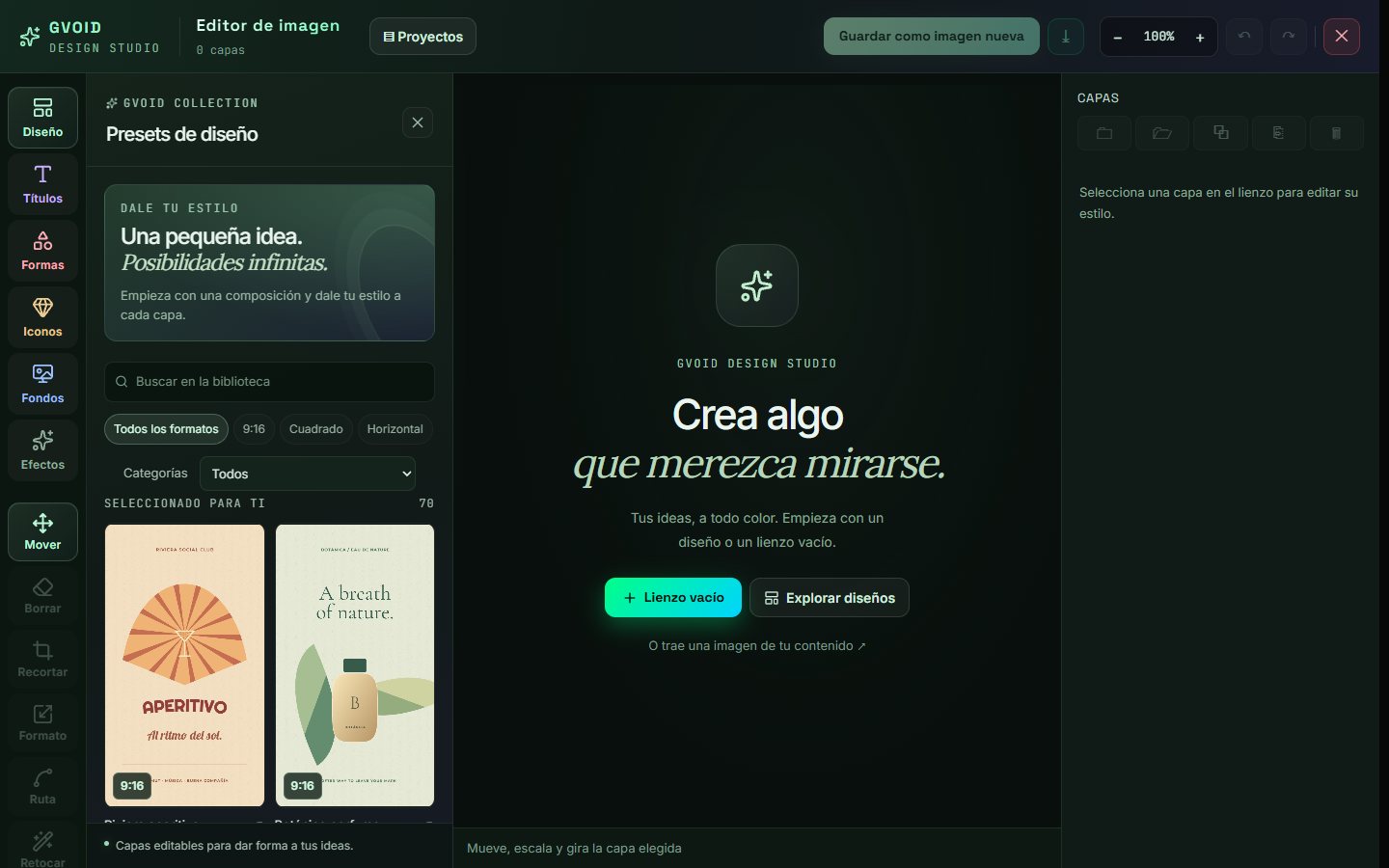
The image editor is the GVOID Design Studio: a layered canvas where you start from a library preset (9:16, square or landscape) or from one of your images, and add titles, shapes, icons, backgrounds and effects. Every layer can be moved, scaled and rotated; you can erase with a brush, crop, change the format, draw paths and retouch by text choosing the engine (Edit Pro, GPT Image 2, GPT Image 2.5 or Flare). It also splits the image into layers, removes the background and upscales it. The result is saved as a new image in your content, with its versions, and goes back to the node canvas ready to animate.
What you can create
Ideal for creators, studios and brands.
How it works in GVOID
No installs. Create in your browser on a node canvas and chain models together.
Add the node
Drop Image Editor onto your canvas.
Describe it
Write your prompt or connect an input.
Generate
Pay only for what you create — start free.
Combine
Chain with voice, music and upscaling.
Frequently asked questions
What is Image Editor?
How much does Image Editor cost?
Can I combine Image Editor with other models?
Related models
Create with Image Editor today
Video, image and voice on one AI canvas. No subscription — start free.
Start free →